The Complete Guide to DIY Graphic Design for Small Businesses
As a small business owner in New Zealand, you wear every hat in your company.
On any given day, you are the accountant, the salesperson, the customer support team, and the operations manager. But there is one more hat you are increasingly expected to wear: graphic designer.
In a visually driven market, your business needs consistent marketing content to grab attention and build trust. Whether it is an eye-catching Instagram graphic, a professional flyer to drop in local mailboxes, a digital newsletter, or a crisp new business card to hand to a client, design matters.
However, many business owners run into a massive roadblock. Professional marketing agency fees can be restrictive for a growing business. On the flip side, trying to learn enterprise-grade design software feels like trying to fly a rocket ship without training.
The good news?
You do not need a three-year art degree or a massive corporate budget to produce stunning visual marketing. This comprehensive guide covers the core principles of DIY graphic design, step-by-step frameworks for beginners, and how to create professional-grade marketing assets without the stress.
1. The Core Principles of "Good" Graphic Design
Many people think graphic design is about making things look "pretty." In reality, great commercial design is about communication and results. If your audience cannot read your phone number or understand what you are selling, the design has failed—no matter how nice it looks.
When tackling DIY design projects, keeping these four timeless fundamentals in mind prevents your content from looking amateurish:
Visual Hierarchy
Visual hierarchy is the order in which a human eye views a design. Your most important message—usually a big bold headline or an enticing offer—should be the largest element on the canvas. Supporting information should be noticeably smaller, and minor details (like terms and conditions) smaller still.
The Power of White Space (Negative Space)
The most common mistake DIY designers make is overcrowding the canvas. They try to fill every blank millimetre with text, icons, starbursts, and images. Professional design embraces "white space". Leaving blank areas around your text and logos gives the viewer's eyes room to breathe, instantly making your brand feel premium, clean, and trustworthy.
High Contrast for Legibility
If text is difficult to read at a quick glance, people will scroll or walk past it. Always use dark text on very light backgrounds, or crisp white text over dark, solid backgrounds. Avoid putting fine text over busy, multi-coloured background images, as the lettering will get lost in the visual noise.
Strict Constraint
When it comes to colours and fonts, less is always more.
- Fonts: Stick to a maximum of two font families per graphic (one bold option for headings, and one highly readable option for body text).
- Colors: Limit your primary palette to two or three consistent colours that represent your brand.
2. Setting Up Your DIY Brand Toolkit
Before you open an editing canvas to create an individual asset, you must lock in your foundational brand elements. Trying to pick new fonts and colours every single time you make a social media post wastes hours of time and destroys your brand recognition.
To build a professional visual identity from scratch, organise these three elements into a centralised brand kit:
- Your Logo Variations: You need high-resolution copies of your primary logo. Ensure you have a transparent PNG version that can sit cleanly on top of coloured backgrounds or photos without an awkward white box surrounding it.
- Your Exact Brand Colours: Do not just guess your colours using a visual picker. Find the exact 6-character hex codes (e.g., #2D3748) for your brand colours so they look identical across your website, social channels, and physical print assets.
- Your Font Combinations: Choose professional, legible fonts that align with your industry. A luxury beauty salon might opt for an elegant serif headline, while a local plumbing business may choose a bold, sturdy sans-serif font.
3. Designing for the Medium: Digital vs. Print
A major pitfall for small business owners is treating digital designs and physical print designs the exact same way. They require entirely different technical setups:
| Design Factor | Digital Assets (Social Media, Websites) | Print Assets (Business Cards, Flyers) |
|---|---|---|
| Primary Goal | Stopping the scroll, driving clicks, quick reading. | Physical impact, tactile feel, legible contact details. |
| Sizing Units | Pixels (px) (e.g., 1080 x 1080px for Instagram). | Millimeters (mm) (e.g., 90 x 55mm for NZ business cards). |
| Crucial Requirement | Bright, vibrant images and clean formatting for mobile screens. | Bleed Margins: Extra space around the border to ensure safe cutting at the print shop. |
4. How to Make Content Marketing Easy with Dzyn Space
For many Kiwi business owners, the hardest part of DIY design is the sheer fragmentation of tools. You might use one app to write marketing text, a separate software platform to design a flyer, a third program to edit a quick social promo video, and a fourth system to send out client emails.
Juggling tabs, passwords, and expensive monthly subscriptions quickly becomes overwhelming.
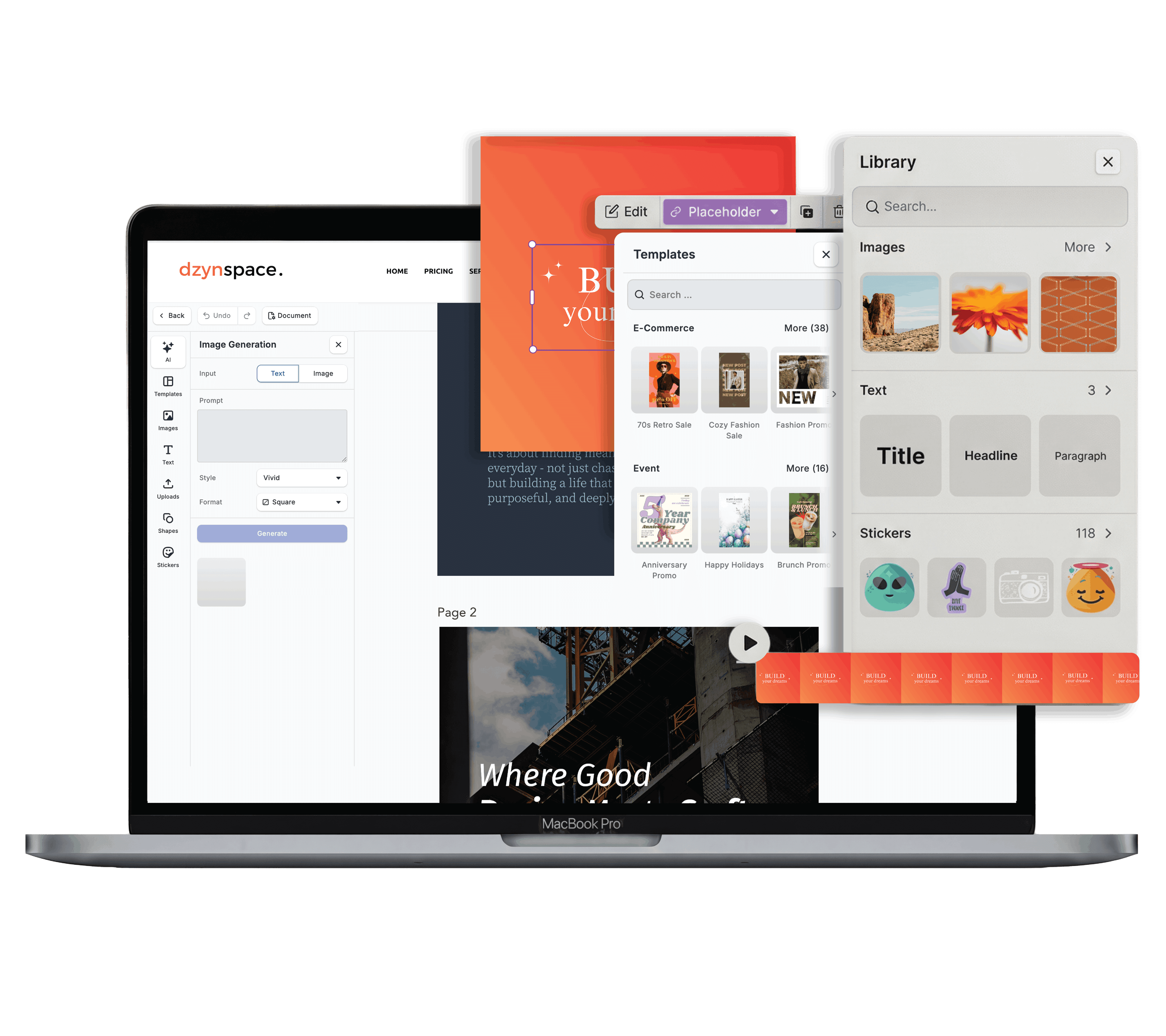
This is exactly why Dzyn Space was built. Created specifically for New Zealand small businesses, startups, and freelancers, Dzyn Space consolidates your entire marketing workflow into a single, cloud-based platform.
Instead of navigating disconnected creative tools, Dzyn Space gives you a comprehensive suite of simple, affordable marketing features in one location:
- Streamlined Design Editor: Skip the blank page panic. Dzyn Space features a vast library of professionally crafted templates designed to standard dimensions for business cards, brochures, posters, and social graphics. Simply pick a layout, drag in your text, and customise it.
- Brand Centralisation: No more hunting for colour hex codes or logo files. Store your fonts, brand colours, and company logo variants safely in the cloud platform. Your brand kit is instantly accessible inside every single design template you open.
- Native AI Powered Tools: Staring at a blank screen struggling with copy? Use built-in AI creative tools to instantly write website copy, social media headings, or engaging emails directly next to your design canvas.
- Seamless Local Print Integration: The ultimate friction point of DIY graphic design is taking a digital file and getting it printed locally without errors. Dzyn Space links directly to Print Monday. Once your design looks exactly the way you want it, you can order high-quality, local physical prints right through the platform to be delivered straight to your Kiwi doorstep.
- On-Demand Human Support: If a design project gets too complex or you are completely strapped for time, you aren't left stranded. Dzyn Space features a built-in community network of handpicked, local Kiwi freelancers you can hire to step in and finish the job for you.
Frequently Asked Questions
Is DIY graphic design really free?
Yes, it can be!
Dzyn Space offers a Free Plan built for individuals that includes a core design editor, access to free templates, a basic brand toolkit, and 5 file downloads per week. It also includes an automatic 10% discount on your Print Monday orders. If you need advanced capabilities like a background remover or premium templates, the Starter Plan is highly affordable at just NZ$10+GST per month billed annually.
What file format should I download for printing?
For digital screens, PNG or JPG files are standard.
However, when you are sending designs to print (like a flyer or brochure), always download your file as a print-ready PDF. A high-quality PDF preserves your image resolution, crisp text lines, and layout alignment perfectly for printing machinery.
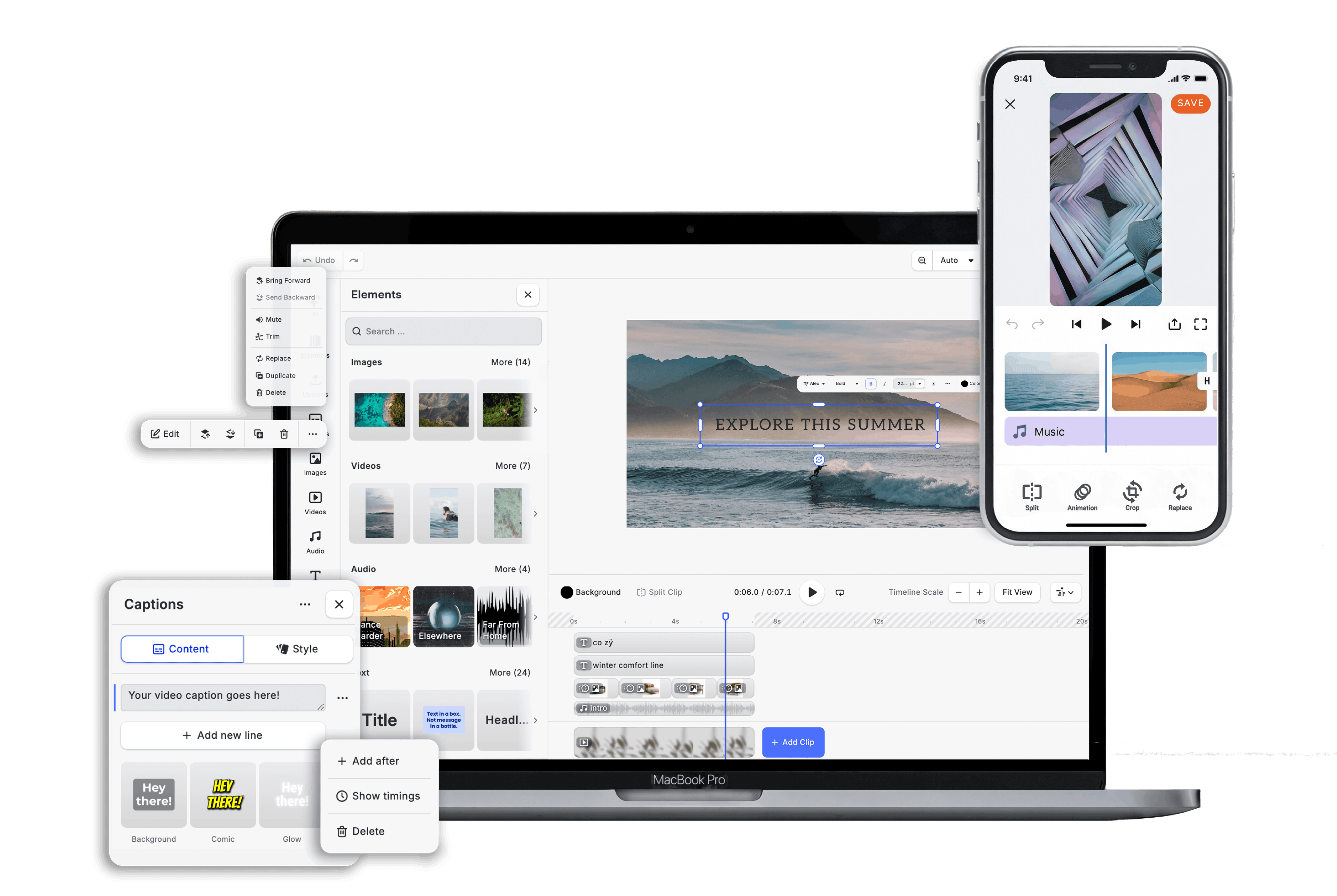
Can I build videos and social reels inside a design tool?
Traditionally, no—you would need separate video editing apps.
However, modern platforms like Dzyn Space include a native Video Editor alongside the design space. This allows you to construct moving social reels, video advertisements, and animated posts using the exact same brand assets and simple drag-and-drop mechanics.
Conclusion
DIY graphic design is no longer about mastering frustratingly technical software or settling for messy layouts.
By implementing foundational design habits—like respecting white space, enforcing strict font limits, and leaning on clean visual hierarchy—any small business owner can build a professional brand presence.
Stop losing time jumping between five different marketing subscriptions, passwords, and open tabs. Simplify your creative workflow and start looking polished today. Sign up for a free Dzyn Space account and unlock professional design, video editing, and local printing tools in one unified dashboard.